As we send out information about your account, you may receive a text from us in the evening or on weekends, asking you to check your member portal. This is genuine, but please stay alert to scams: never share your password or personal details via text, and always log in directly through our website or app.

Looking for information about recent investment market movements and what it could mean for your account balance? Read our latest blog


Access your online account

How to access your account online

At Child Care Super, we want you to be in control of your super. So, we’ve made is SUPER easy to keep track of your money, all through your online account.

By registering for an online account, you can:

  • update your details

  • combine your super

  • review or change your investment options

  • check your insurance cover

I’m a new user 

If you’re already a member of Child Care Super but don’t have an online account, registering is quick and easy. 

Register for online account

Already registered online? 

You can log into your account easily to track or make changes. 

Log in to your account

Download the Child Care Super app

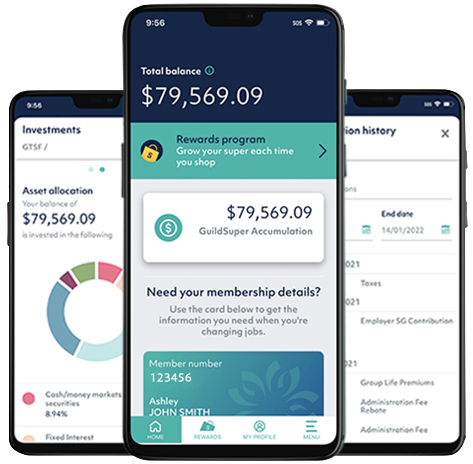
The easiest way to keep track of your super is through our app. If you’ve registered for an online account, you can log in to the app at any time. If you need help setting up the app, head to setup mobile app.

Download the Child Care Super app

The easiest way to keep track of your super is through our app. If you’ve registered for an online account, you can log in to the app at any time. If you need help setting up the app, head to setup mobile app.

Oh no, I’ve forgotten my password!

Hey, these things happen. If it’s been a while since you’ve logged in, simply reset your password using the link below. It only takes a few minutes!

Page last updated 1 December 2023